Use the uploaded photo as the primary identity reference. Preserve the person's recognizable facial features, face shape, eyes, eyebrows, nose, lips, jawline, skin tone, hairstyle, hair texture, and natural appearance. Keep their identity unchanged. Do not replace, reshape, or unnecessarily beautify their face. Maintain natural body proportions and adapt the styling to their age and preferred presentation.

Style and Quality

Create an ultra-realistic, high-resolution black-and-white editorial fashion photograph with a premium luxury-magazine aesthetic, cinematic composition, authentic film grain, and exceptionally detailed textures.

Subject and Pose

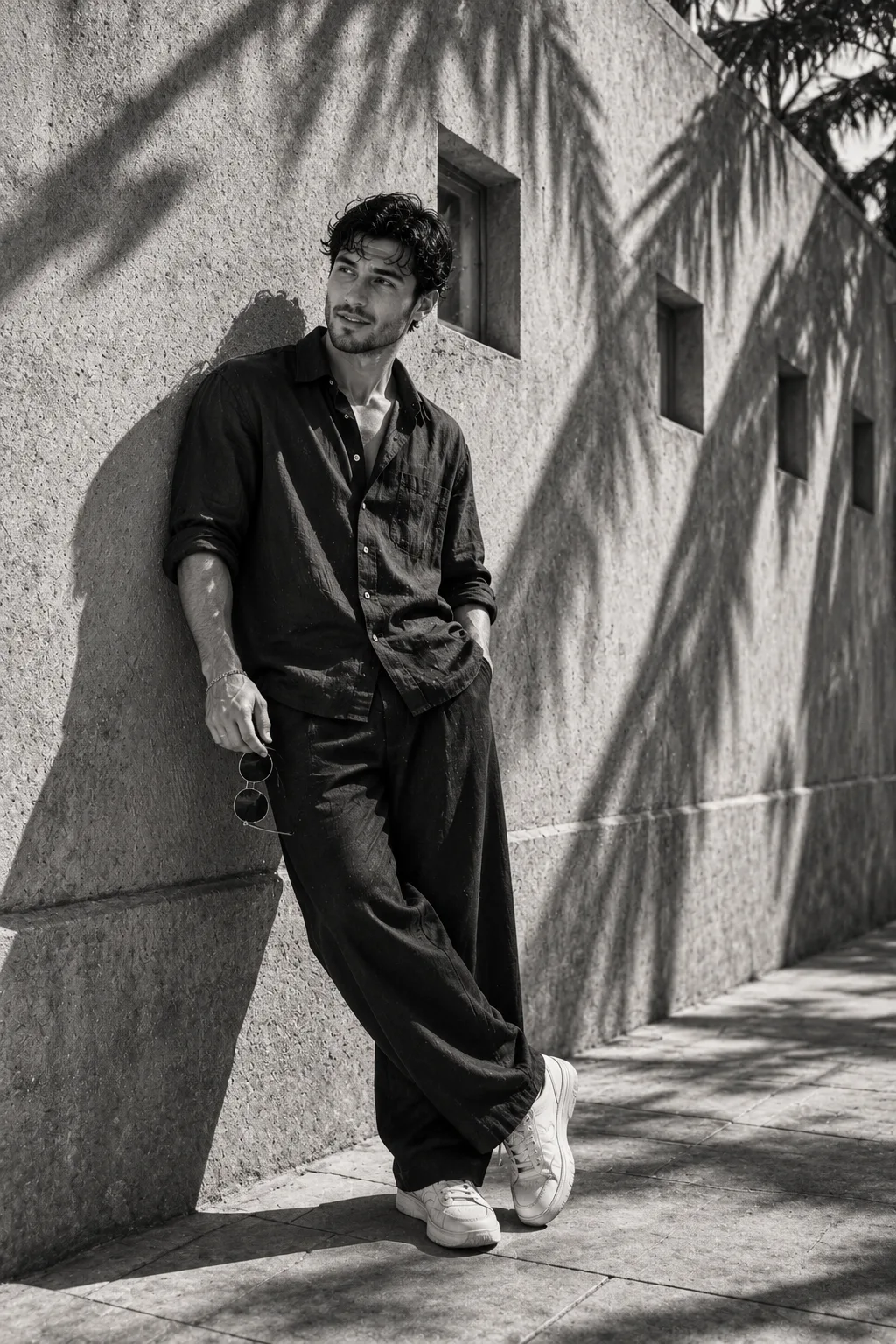
Show the same person in a full-body portrait, casually leaning against a rough, textured concrete wall. Their body rests at a slight angle against the wall, with relaxed shoulders and a confident, effortless expression. One leg bends slightly at the knee, with the feet positioned naturally, while one hand rests inside a trouser pocket and the other holds a pair of round sunglasses loosely at their side. Their head turns slightly toward the light, with a relaxed gaze directed off-camera.

Outfit

Dress the person in a dark, oversized linen button-up shirt with rolled sleeves, loose wide-leg dark trousers, and chunky white sneakers. Add subtle fabric creases and realistic linen texture. Include round sunglasses held in one hand. A simple dark beanie or minimal accessory may be included if it suits the person's original style.

For children, use age-appropriate casual clothing and comfortable footwear while preserving the same monochrome editorial aesthetic.

Environment

Set the photograph beside a minimalist architectural concrete wall featuring several small square window openings. The wall should have a coarse, tactile surface with natural imperfections. Include a clean concrete pavement and subtle architectural depth without distracting background elements.

Lighting and Shadows

Use strong natural sunlight entering from one side, creating sharp diagonal shadows across the wall and ground. Add distinct palm-tree shadows stretching across the concrete surface. Preserve detail in both the deep shadows and bright highlights, with realistic light falling across the person's face, clothing, and sneakers.

Camera and Composition

Full-body vertical 4:5 portrait, slightly low street-level perspective, Leica M11 photography aesthetic, 35mm lens look, natural proportions, crisp facial details, realistic skin texture, sharp clothing textures, subtle film grain, high-contrast monochrome grading, and shallow depth of field.

Final Appearance

The result should resemble a genuine luxury street-style fashion photograph: minimalist, confident, cinematic, and naturally expressive. Keep the person recognizable from the uploaded photo while changing the environment, pose, outfit, lighting, and photographic treatment.
Click and copy the code block above into ChatGPT, Gemini, or Midjourney.