Use the uploaded photo as the primary identity reference. Preserve the person's recognizable facial features, face shape, eyes, eyebrows, nose, lips, skin tone, hairstyle, hair texture, and natural appearance. Do not replace, reshape, or unnecessarily beautify their face. Maintain realistic body proportions and adapt the styling to their age and personal presentation.

Scene and Composition

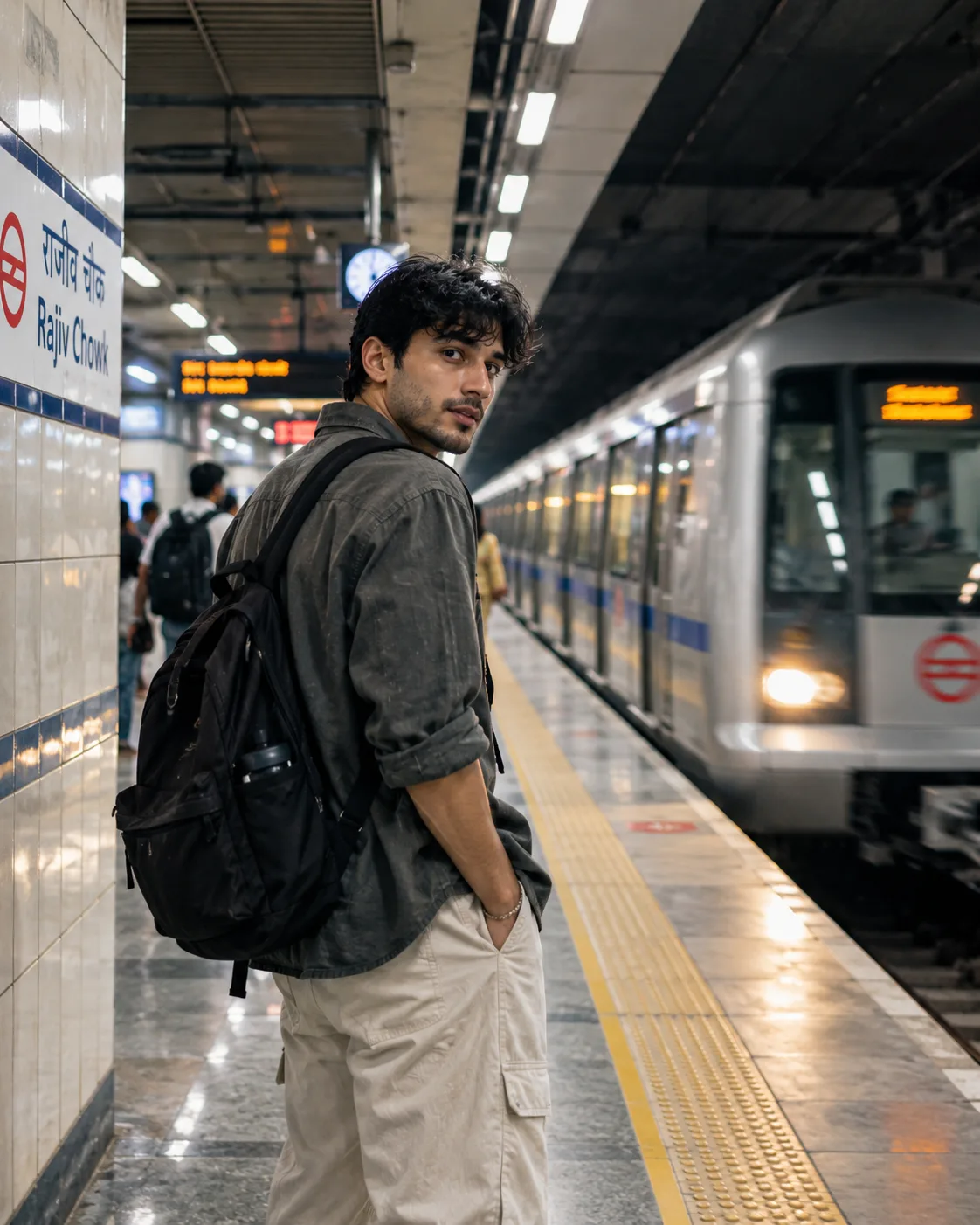
Create an ultra-realistic, candid documentary-style photograph of the same person standing on a modern Indian metro platform. Capture them glancing back over their shoulder toward the camera while a train arrives behind them. The moment should feel spontaneous, as if photographed during an ordinary commute.

Pose and Expression

Position the person slightly left of center, with their body facing along the platform and their head turned naturally toward the camera. Use a relaxed posture, subtle expression, and natural hand placement. Keep the face recognizable, sharp, and realistically proportioned.

Outfit and Styling

For adults, use contemporary Indian urban streetwear: a charcoal or olive-grey overshirt or lightweight jacket, a plain T-shirt, relaxed beige or dark cargo trousers, comfortable sneakers, and a practical backpack. Keep the styling understated and realistic. Adapt the outfit to the person's own style and gender expression. For children, use age-appropriate casual clothing, comfortable shoes, and a suitable backpack.

Indian Metro Environment

Recreate a modern Delhi Metro-inspired platform with cream or white tiled walls, blue accent tiles, yellow tactile paving, overhead fluorescent lights, electronic arrival displays, and a silver metro train with subtle blue detailing. Include a bilingual Hindi-English station sign in the background, such as “राजीव चौक / Rajiv Chowk.” Keep other commuters distant and softly blurred.

Lighting and Atmosphere

Use cool fluorescent station lighting with realistic reflections on the train and polished platform floor. Add slight motion blur to the arriving train and distant commuters while keeping the subject's face and eyes in sharp focus. Create a subtle, gritty-but-clean documentary aesthetic without excessive darkness.

Camera and Quality

Vertical 4:5 composition, Nikon Z8 photography aesthetic, 35mm lens at f/2, eye-level candid framing, strong leading lines, shallow depth of field, natural skin texture, realistic clothing details, balanced exposure, cool color temperature, and photorealistic high-resolution quality.

Final Appearance

The image should look like a genuine candid photograph taken during a metro commute in India. Preserve the uploaded person's recognizable identity while changing the environment, pose, outfit, and lighting.
Click and copy the code block above into ChatGPT, Gemini, or Midjourney.