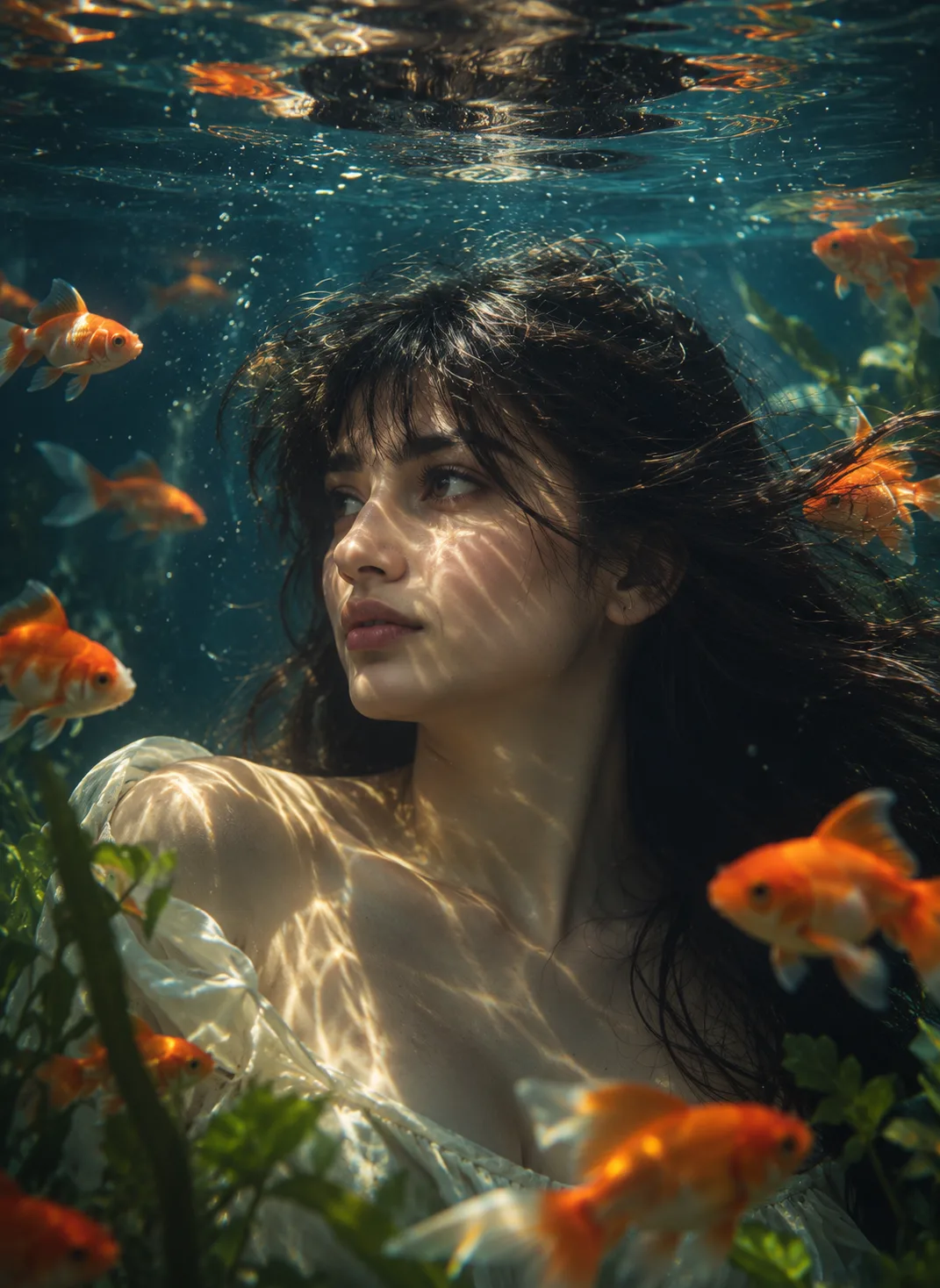
Underwater Portrait AI Prompt – ChatGPT & Midjourney AI Image Prompt

Create an Underwater Portrait AI Prompt with flowing hair, goldfish, rippling light, aquatic plants, and a dreamy cinematic mood.

📅 Published Sep 29, 2026 • ❤️ 2 Likes • 📋 0 Copies • By PixelPrompt Team
Underwater Portrait AI Prompt - Portraits AI Prompt for Midjourney, ChatGPT & Gemini
Compatible Models
ChatGPTMidjourneyGemini

Full AI Generation Prompt

A character with naturally styled hair and distinct facial features, partially submerged in water, gazing to the left beyond the aquarium glass. Dim, atmospheric lighting filters gently through undulating water, casting shimmering, rippling reflections across their skin, subtly highlighting their facial details. Around them, various goldfish glide gracefully in the foreground and midground, their vivid orange hues contrasting vividly against the cool surrounding tones. Immersing the viewer in a tranquil, otherworldly aquatic scene, with natural shadows contouring the face and a calm, introspective expression completing the cinematic mood. Palette of deep blues, muted golds, and forest greens. Reference image included to preserve original facial characteristics.
Click and copy the code block above into ChatGPT, Gemini, or Midjourney.

⚙️ Prompt Parameters & Settings Breakdown

Parameter Recommended Value / Setting
Compatible Models ChatGPT, Midjourney, Gemini
Aspect Ratio 3:4 (Vertical Portrait / Mobile)
Lighting Setup lighting filters gently through undulating water, casting shimmering, rippling reflections across their skin, subtly highlighting their facial details
Camera & Lens Professional DSLR, 85mm portrait lens, shallow depth of field, sharp focus
Style & Category Portraits

💡 How to Use & Customize This Prompt

  1. Copy the prompt: Highlight the prompt above and paste it into your AI generator (ChatGPT, Gemini, or Midjourney).
  2. Replace [SUBJECT]: Customize character details, subject age, or upload a reference face for portrait identity preservation.
  3. Adjust lighting tokens: Change "studio soft lighting" to "golden hour" or "cinematic neon glow" depending on your intended mood.
  4. Choose aspect ratio: Append --ar 3:4 for mobile portrait photos or --ar 16:9 for widescreen wallpapers.